
Work-Friendly Furnished Rentals in Tampa: A How-To Guide
Table of Contents
What Makes a Furnished Rental Work-Friendly Internet Speed and Reliability Requirements Workspace Setup and Ergonomics
Internet Speed and Reliability Requirements
Workspace Setup and Ergonomics
Month-to-Month Furnished Rentals in Tampa: Flexibility Without Penalty Understanding Lease Terms and Early Exit Options Security Deposits and Move-In Costs
Understanding Lease Terms and Early Exit Options
Security Deposits and Move-In Costs
Corporate Housing in Tampa: What Sets Professional Providers Apart
Furnished Apartments with High-Speed Internet: Verification Checklist Testing Connection Speeds Before You Commit Backup Connectivity Options
Testing Connection Speeds Before You Commit
Backup Connectivity Options
Step-by-Step Process: Finding Your Ideal Rental Step 1: Define Your Non-Negotiables Step 2: Assess Neighborhood and Commute Step 3: Verify Amenities and Inclusions Step 4: Confirm Availability and Book
Step 1: Define Your Non-Negotiables
Step 2: Assess Neighborhood and Commute
Step 3: Verify Amenities and Inclusions
Step 4: Confirm Availability and Book
Common Mistakes to Avoid When Booking
Conclusion
Last Updated: August 22, 2026
What Makes a Furnished Rental Work-Friendly
Finding the right work-friendly furnished rental in Tampa means understanding what separates a space where you can actually focus from one that looks good on paper but falls apart during your first video call. 🎯
The core difference comes down to infrastructure, not just amenities. A furnished apartment with a desk and chair isn't work-friendly if the internet drops every afternoon or background noise makes you sound like you're calling from inside a construction site. Work-friendly furnished rentals Tampa require intentional design: reliable connectivity, ergonomic workspace, and an environment that supports professional presence.
At Tanblu, we've built our short-term rental approach around understanding what remote workers and corporate travelers actually need. You need a space where you can take a client call without apologizing for your surroundings, where your internet doesn't betray you during presentations, and where your back doesn't hurt after eight hours at a desk.
Internet Speed and Reliability Requirements
High-speed internet isn't optional for work-friendly furnished rentals, it's foundational. Most remote work requires a minimum of 25 Mbps download speed for video conferencing, file uploads, and collaborative tools (fcc.gov). For larger teams or video production, aim for 50+ Mbps.
Reliability matters more than raw speed. A connection that peaks at 100 Mbps but drops to 5 Mbps three times daily is worse than a steady 30 Mbps that never falters. Look for rentals offering hardwired connections (Ethernet) rather than relying solely on Wi-Fi. Many corporate housing providers in Tampa now include fiber-optic or cable internet as standard.
Test the connection before move-in. Ask the property manager for a speed test result or request a brief video call to assess call quality. Verify whether internet is shared across multiple units (creating bottlenecks) or dedicated to your rental. Ask about backup connectivity options if the primary goes down.
Workspace Setup and Ergonomics
A proper desk and chair are necessities, not luxuries. Spending eight hours hunched over a kitchen counter destroys productivity and your back. Look for rentals with a dedicated workspace featuring a full-size desk (minimum 48 inches wide), an ergonomic chair with lumbar support, and proper lighting.
Many furnished apartments advertise a "workspace" that's really a small table in a corner. You need enough surface area for your laptop, monitor, and reference materials. The chair should have adjustable height and back support, you'll spend 40+ hours per week in it (osha.gov).
Lighting is critical. Poor lighting causes eye strain and headaches. Ideally, your workspace has natural light from a window plus a desk lamp for evening work. If the unit is naturally dark, ask about adding a task light before move-in.
Month-to-Month Furnished Rentals in Tampa: Flexibility Without Penalty
The biggest frustration with traditional leases is commitment. Month-to-month furnished rentals in Tampa solve this problem, but only if the terms are actually flexible.
Real month-to-month rentals mean you can leave with 30 days' notice without penalty. No hidden early-termination fees, no forfeited deposits, no surprise charges. This matters when your project ends early, your relocation timeline shifts, or your company moves you again.
Understanding Lease Terms and Early Exit Options
Before signing any rental agreement, read the lease terms carefully. Look for these specific protections:
30-day exit clause: You can leave with 30 days' written notice without penalty
No early-termination fees: Leaving before your stated end date costs nothing beyond your final month's rent
Prorated rent: If you leave mid-month, you pay only for the days you occupied the space
Flexible renewal: You can extend month-to-month without committing to longer terms
Many "month-to-month" rentals actually require a minimum stay (often 60 or 90 days) before you can exit without penalty. Others charge an early-termination fee equal to one month's rent. Ask directly: "If I need to leave on day 35, what happens?" If the answer includes any fee, penalty, or forfeiture, keep looking.
Security Deposits and Move-In Costs
Understand your full move-in cost before you book. Here's what to expect:
Security deposits typically equal one month's rent and are refundable if you leave the space in normal condition (the FTC). Get the return timeline in writing.
Administrative or processing fees (often $100-$200) are non-refundable and cover background checks and lease processing. Some properties waive these for corporate bookings.
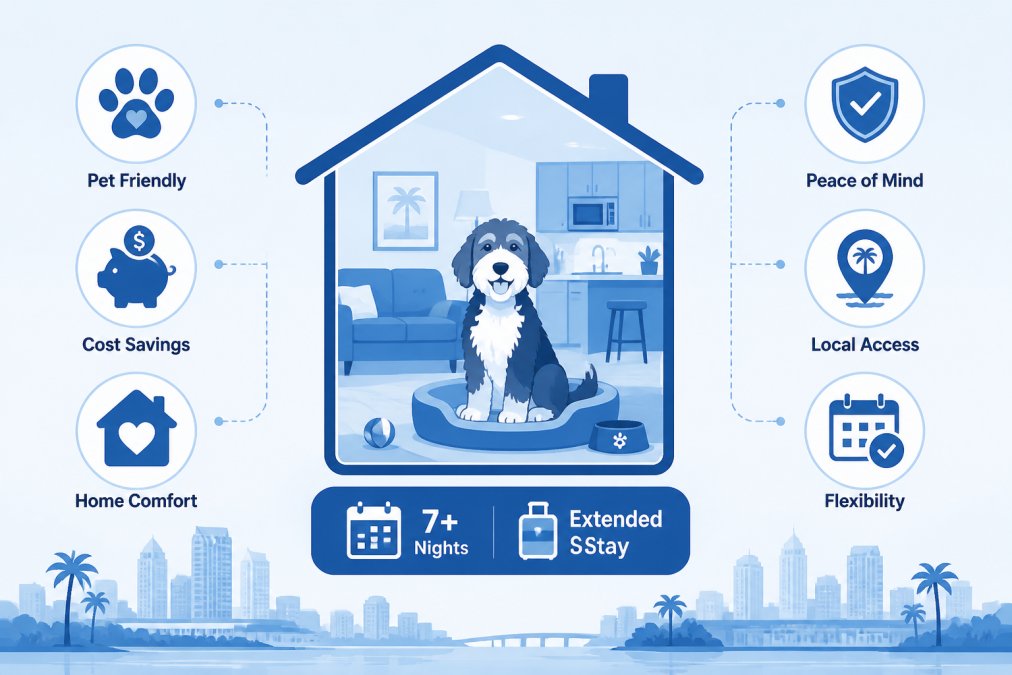
Pet deposits, if applicable, are separate from security deposits and typically non-refundable. Tanblu's pet-friendly suites include pets in the base rate without additional fees.
Utilities and internet should be included in your monthly rent for true furnished rental convenience. If they're separate, your actual cost is higher than advertised. Verify what's included before committing.
Corporate Housing in Tampa: What Sets Professional Providers Apart 🏢
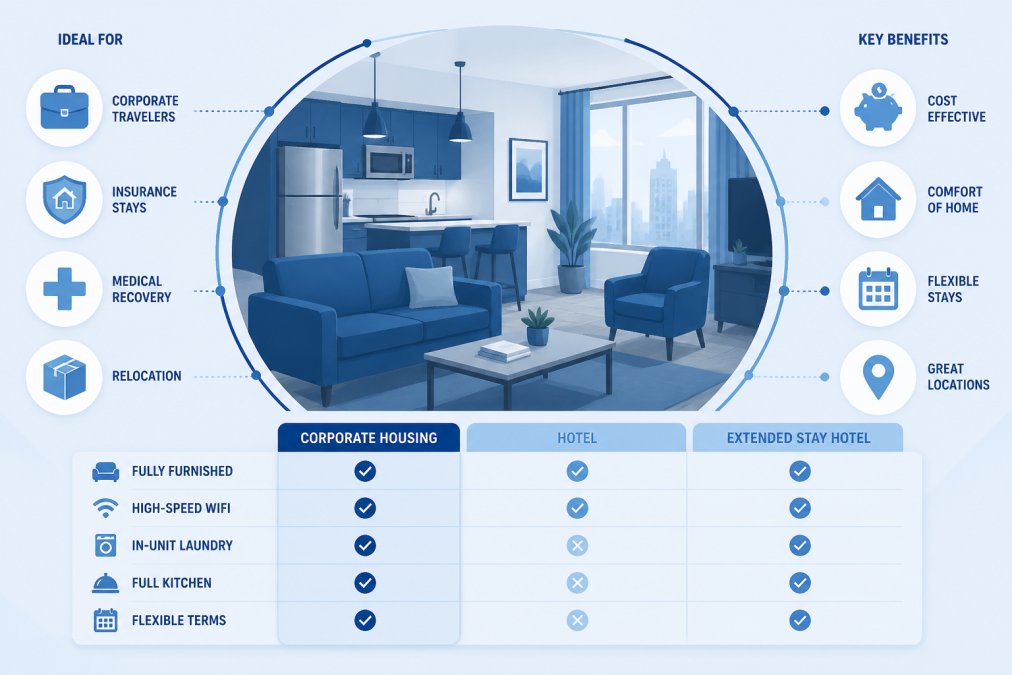
Corporate housing serves a different need than vacation rentals. You're looking for reliability, professional support, and a space designed for business travel.
The best corporate housing providers offer properties in business districts or near major employers, provide 24/7 support for maintenance or connectivity issues, and include business-class amenities like high-speed internet, workspace, and on-site parking. They also handle direct billing to corporate accounts and work with insurance companies for disaster recovery stays.
When evaluating corporate housing in Tampa, ask about:
Proximity to your workplace: How long is your commute? Is the property near major business parks (Downtown Tampa, Westshore, International Plaza)?
24/7 support: If something breaks or your internet drops at 11 PM, can you reach someone immediately?
Direct corporate billing: Does the provider invoice your company directly?
Insurance coordination: Does the provider work directly with insurers to verify coverage and set up billing?
Furnished standards: Are utilities, internet, and housekeeping included?
Tanblu specializes in corporate housing that removes friction. Direct insurance coordination, included utilities, and properties curated for professional stays mean you're not juggling invoices or worrying about coverage gaps.
Furnished Apartments with High-Speed Internet: Verification Checklist ✓
You can't just trust the listing. Internet quality varies dramatically, and "high-speed internet included" might mean 10 Mbps shared across five units. Before you commit, verify the connection yourself.
Testing Connection Speeds Before You Commit
Ask the property manager for a recent speed test result (within the last week). Use an independent tool like Speedtest.net or Fast.com to verify the numbers. Request a video call during typical work hours (9 AM-5 PM) to assess real-world call quality.
During a test call, listen for clear voice without echo or distortion, stable video without pixelation or freezing. If call quality is poor, the internet isn't suitable for work. Move on.
Ask about the connection type:
Fiber: Fastest and most reliable (100+ Mbps common)
Cable: Good for most work (50-100 Mbps typical)
DSL: Slower and less reliable (10-25 Mbps typical)
Mobile hotspot: Backup only, not primary
Fiber and cable are your best bets. DSL works for light work but struggles with video or large file uploads.
Backup Connectivity Options
What happens when the primary internet goes down? A professional work-friendly rental should have a plan. Ask whether the property has a secondary internet provider as automatic failover, a mobile hotspot available for emergencies, or a common area with backup Wi-Fi.
Internet outages happen, usually at the worst times. A rental that can't handle a brief outage isn't truly work-friendly.

Step-by-Step Process: Finding Your Ideal Rental
Follow this framework to narrow your options systematically.
Step 1: Define Your Non-Negotiables
Before you search, write down what you absolutely need. This prevents wasting time on properties that don't fit.
Your non-negotiables might include:
Internet speed (minimum 25 Mbps, fiber preferred)
Lease length (month-to-month, 60-day minimum, 90-day minimum)
Pet policy
Budget (maximum monthly rent)
Commute distance to your workplace
Workspace requirements
When evaluating listings, check each property against this list first. If it fails on a non-negotiable, skip it immediately.
Step 2: Assess Neighborhood and Commute
Location matters more than most renters realize. Research the neighborhood:
How far is your workplace or primary destination?
Are there grocery stores, restaurants, and pharmacies within walking distance?
Is public transit available?
Is the neighborhood safe? Check crime maps and local forums.
What's the parking situation?
For remote workers, commute distance is less critical, but neighborhood quality still matters. You'll spend evenings and weekends there.
Step 3: Verify Amenities and Inclusions
Get a detailed list of what's included:
Furniture: Bed (size?), sofa, dining table, desk, chairs
Kitchen: Pots, pans, dishes, utensils, appliances
Linens: Bedding, towels, pillows
Utilities: Electric, gas, water, trash
Internet: Included or separate charge?
Parking: Included or reserved spot?
Housekeeping: Weekly cleaning included?
Ask for photos of the actual unit you'll occupy, not just the building's model unit.
Step 4: Confirm Availability and Book
Once you've narrowed to your top choice, confirm availability for your exact dates. Before finalizing:
Get the lease terms in writing
Confirm all costs (rent, deposits, fees, utilities)
Understand the cancellation policy
Verify check-in procedures and key pickup
Ask about move-in support (furniture assembly, Wi-Fi setup)

Common Mistakes to Avoid When Booking
Trusting photos without verifying the actual unit. Model units look great. Your assigned unit might be smaller, darker, or less updated. Request photos or a video tour of the exact apartment you'll occupy.
Ignoring internet quality. "High-speed internet included" might be 10 Mbps shared across ten units. Test it before committing.
Not reading the lease. Fine print hides early-termination fees, pet charges, and utility costs. Read the full lease before signing.
Underestimating commute time. A listing shows "15 minutes to Downtown" based on ideal traffic. Your actual commute during rush hour might be 45 minutes.
Overlooking the neighborhood. Book based on the apartment alone, then realize the neighborhood has no restaurants or feels unsafe. Spend 30 minutes researching the area before you commit.
Assuming "month-to-month" means flexible. Some month-to-month rentals require 60 or 90 days' notice to exit or charge early-termination fees. Confirm the exact terms before booking.
Not confirming what's included. "Fully furnished" might mean a bed and table. "Utilities included" might exclude internet or parking. Get a detailed list of what's actually included in your rent.
Finding work-friendly furnished rentals in Tampa requires intentionality, but the payoff is enormous. A space designed for work, with reliable internet, proper ergonomics, and professional support, transforms your productivity and well-being during a temporary stay. Define what you need, verify the details, and commit only when everything checks out. Tanblu specializes in exactly this kind of curated, work-focused housing with included utilities, month-to-month flexibility, and properties in business-friendly locations. When you're ready to move forward, browse and book now to secure a rental that actually supports how you work.
Frequently Asked Questions
What internet speed do I actually need for remote work in a furnished rental?
For reliable remote work, aim for at least 25 Mbps download and 5 Mbps upload speeds. Video conferencing requires a minimum of 5 Mbps, but if multiple people share the connection or you upload large files regularly, 50+ Mbps is safer. Before booking any work-friendly furnished rental, request a speed test result from the property manager or conduct your own test using the address if possible. Many furnished apartments with high-speed internet include fiber or cable connections, which are more stable than standard DSL for professional work.
Can I break a lease early on month-to-month furnished rentals in Tampa without penalties?
Month-to-month furnished rentals in Tampa typically allow early termination with 30 days' notice, but penalties depend on the provider's specific policy. Some charge a partial month's rent or forfeiture of the security deposit, while others, like those specializing in corporate housing, offer penalty-free exits. Always request the early termination clause in writing before signing. Confirm whether utilities and services are included regardless of when you leave.
What's the difference between booking corporate housing versus a standard furnished apartment?
Corporate housing in Tampa typically includes move-in-ready suites with all utilities, high-speed internet, and maintenance included in the base price. Standard furnished apartments often charge separately for utilities, internet, and services. Corporate housing providers also handle lease paperwork, background checks, and often work directly with insurance companies or relocation services. If your company is covering temporary housing or you're relocating through an insurance claim, corporate housing simplifies reimbursement and reduces your administrative burden.
How do I verify that a furnished rental actually has the amenities listed before I move in?
Request a detailed amenity list in writing, including specific appliances, bedding quality, desk setup, and internet provider/speed. Ask for recent photos or a video walkthrough from the property manager. For furnished apartments with high-speed internet, request proof of the ISP and speed tier (not just 'high-speed'). If possible, schedule a virtual tour with someone physically in the unit demonstrating each amenity. Before finalizing payment, confirm that the lease specifies what's included and what happens if promised items are missing or broken upon arrival.
Browse and Book Now!
This article was written using GrandRanker
Comments